Automation
Runs on connect
Mount events are debounced, so a hub full of drives triggers each job once.
 SSDSync
Free · macOS 15+ · Menu bar app
Plug in the drive. Your folders follow.
SSDSync copies your folders to external SSDs the moment they're connected, or on a schedule. It adds new files and updates changed ones, and never deletes anything on the destination.

01 — How it works
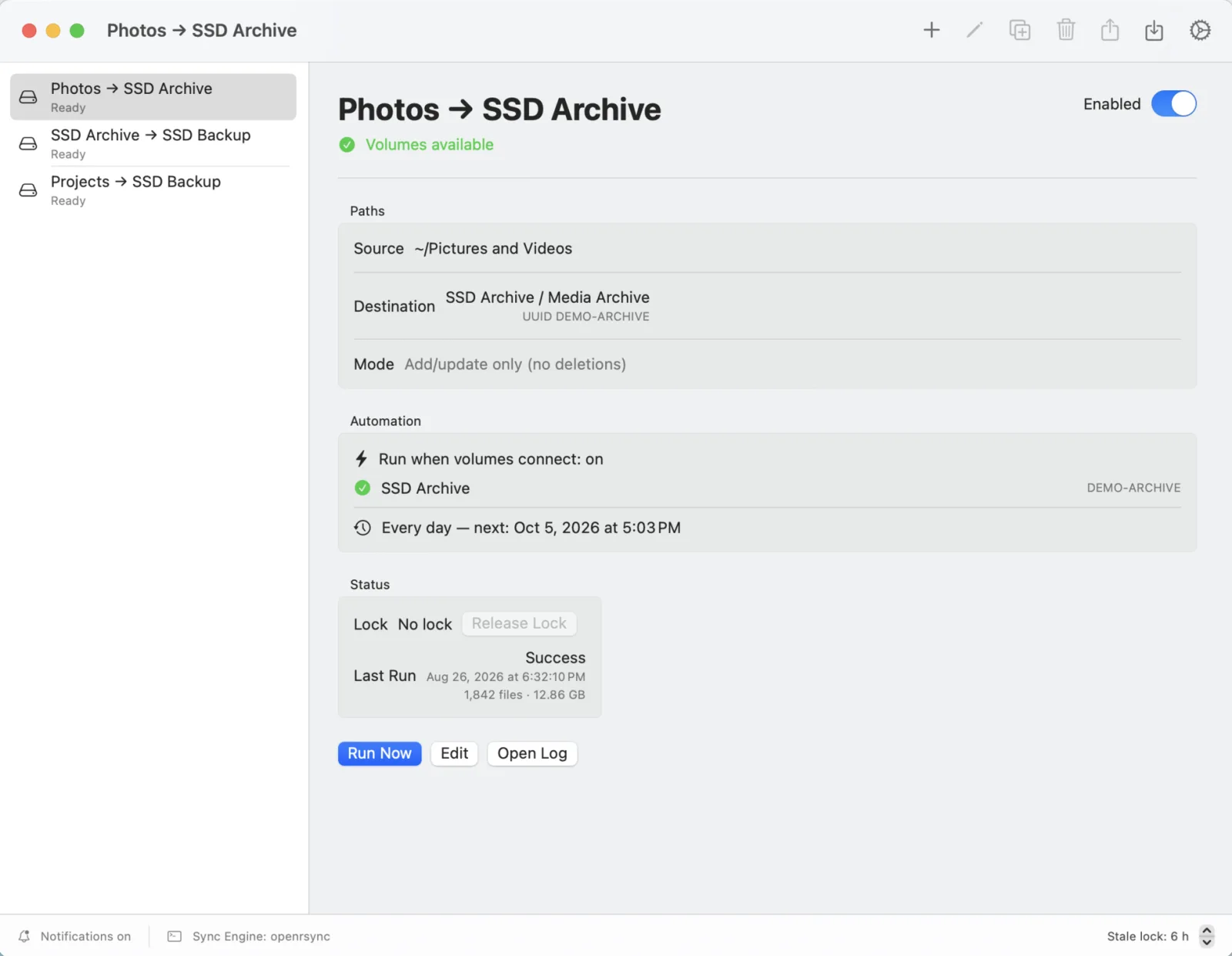
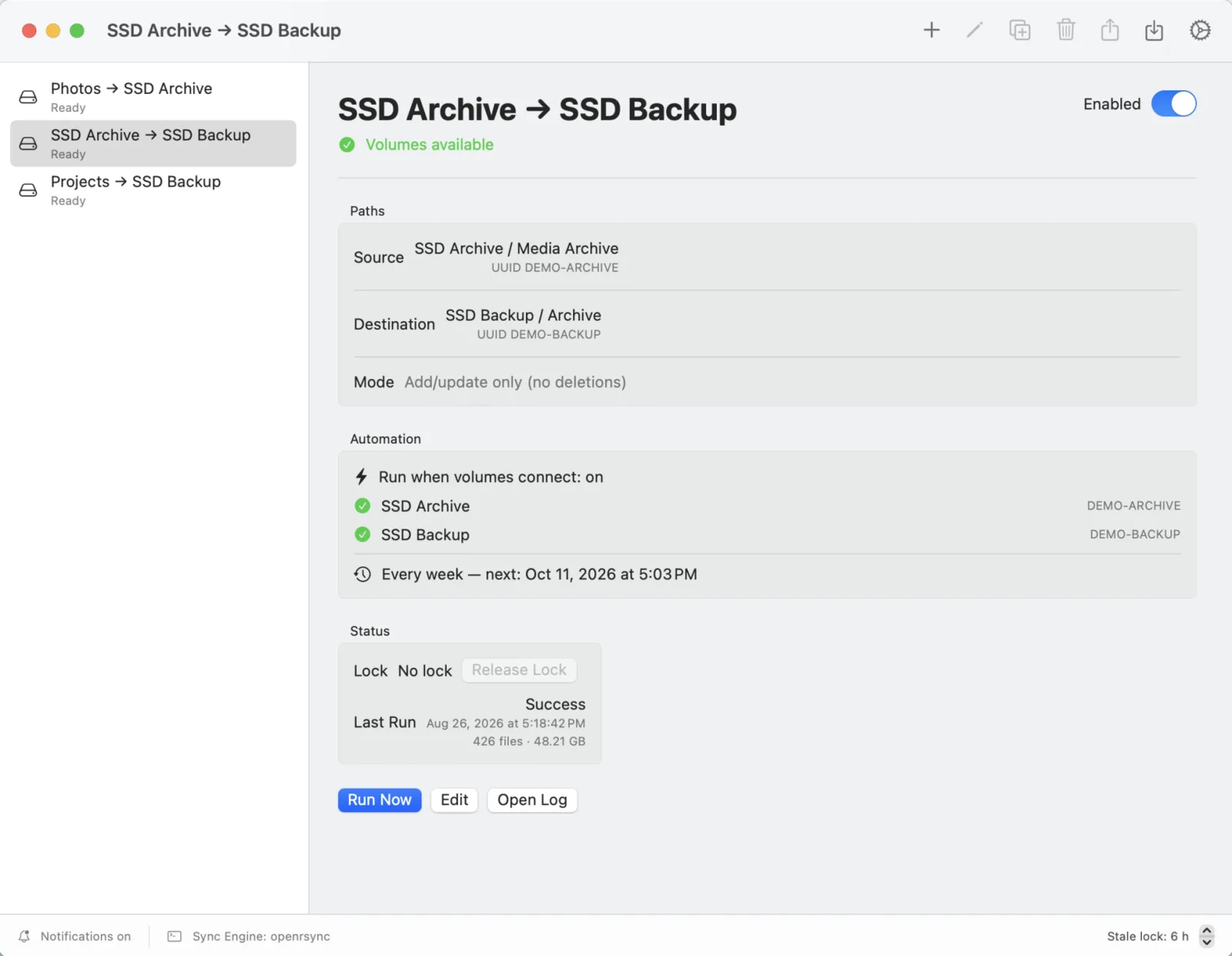
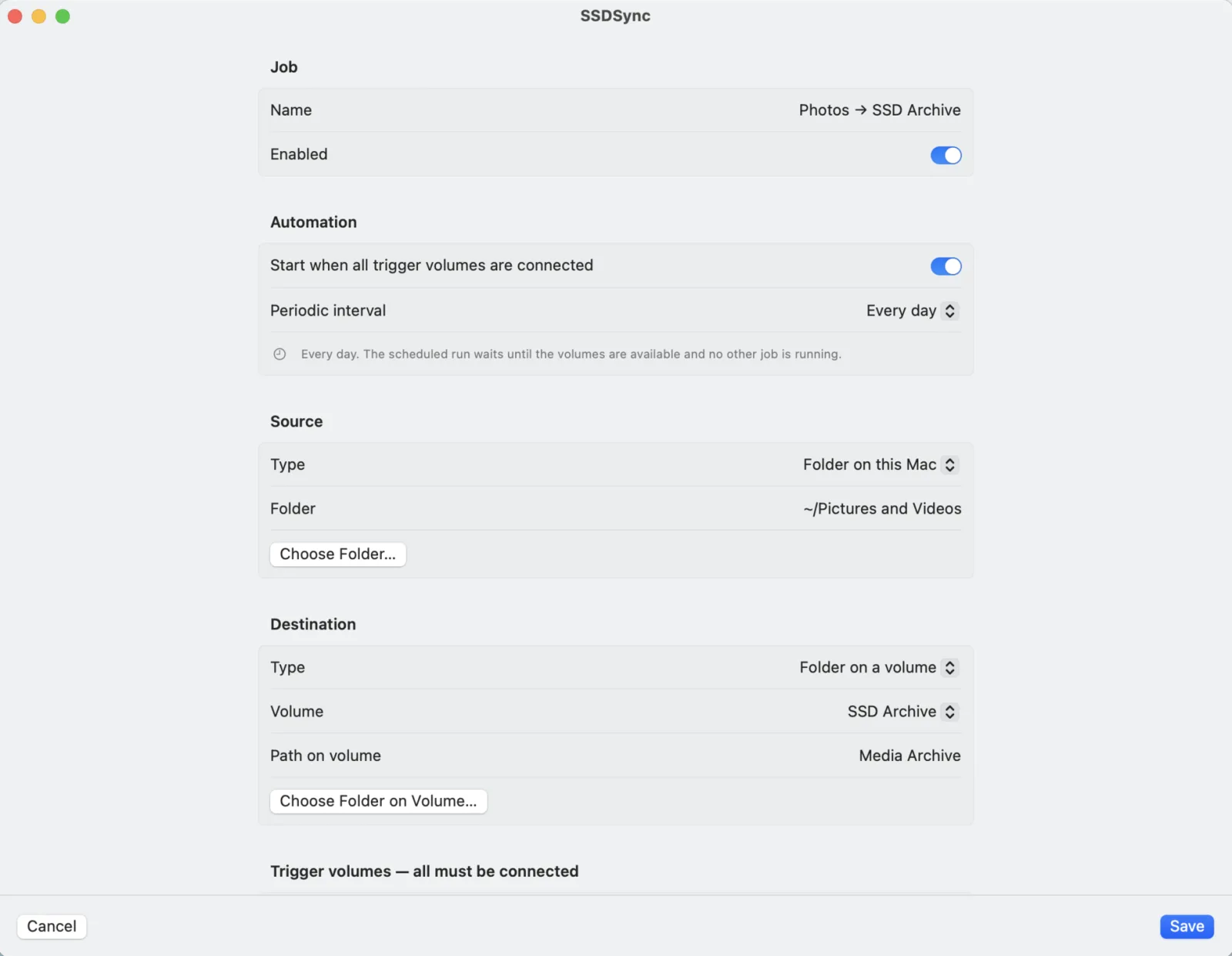
A job is a source, a destination and the drives that must be connected. Create as many as you like: back up a Mac folder to your archive SSD, then copy that archive onto a second drive whenever both are plugged in. Each job copies in one direction.
A folder on your Mac or on any external drive, chosen with the standard macOS folder picker.
One drive, or several that must all be connected. Plugging in a hub with both? The job still runs once, not twice.
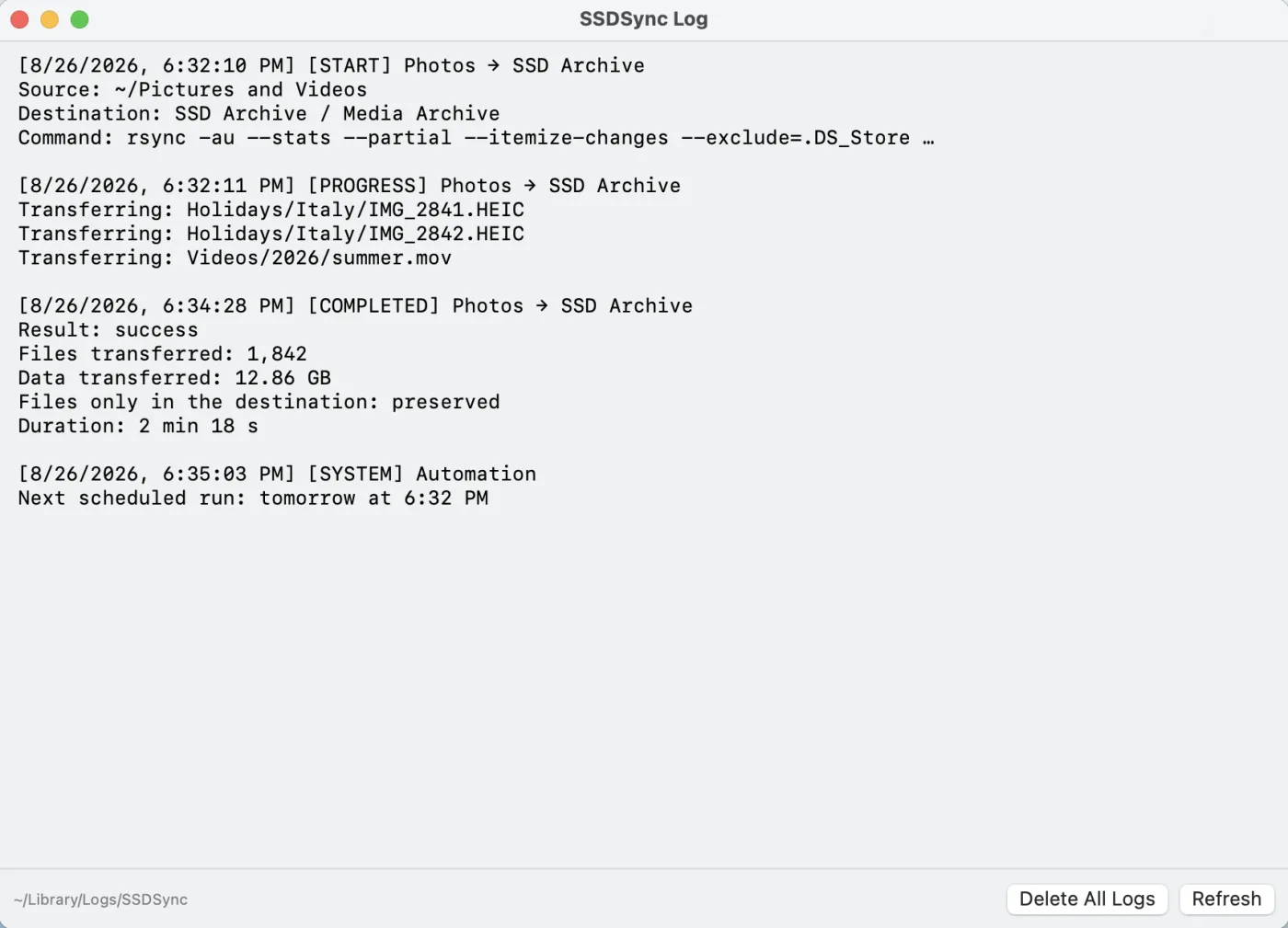
SSDSync waits in the menu bar, runs jobs one at a time and sends a notification with files and bytes copied.
02 — Safety model
In mirror mode, a sync propagates deletions: delete something by mistake on your Mac and the copy disappears too. SSDSync has a single mode, and it isn't that one. New files are copied, changed files are updated, and anything that lives only on the destination stays exactly where it is.
Updating a file replaces the older copy at the destination. SSDSync keeps copies, not a version history: for that, keep Time Machine too.
There is no --delete option to switch on by accident. SSDSync also refuses jobs whose destination is the source itself or a folder inside it.
03 — The app
Lives in the menu bar. Open the main window when you want to see what ran, what's next and why.
04 — Details
Automation
Mount events are debounced, so a hub full of drives triggers each job once.
Schedule
A due job waits until its drives are back, then runs.
Queue
Runs never overlap, and stale locks from a crash can be cleared in one click.
Notifications
The completion notice tells you the outcome, files and bytes copied.
Exclusions
System files are skipped by default; add your own patterns per job.
Login
One toggle, and SSDSync is in the menu bar after every restart.
Unplug
Disconnect a drive mid-run and the copy stops, is logged and notified. The next run completes it.
Engine
Proven rsync transfers bundled in the app, sandboxed as the Mac App Store requires.
Privacy
No account, no analytics, no network. Your config and logs stay local.
05 — Questions
No. SSDSync copies new files and updates changed ones. Files that exist only in the destination are always left in place, and the app never runs rsync with a delete option. Updating a file replaces the older copy at the destination: SSDSync keeps copies, not a version history.
No. Time Machine keeps versioned snapshots of your whole Mac. SSDSync keeps plain copies of the folders you choose on the drives you choose: ordinary files and folders you can browse in Finder, with no restore step. You can use it alongside Time Machine.
SSDSync notices the unmount, stops the running copy, records the interruption in the log and notifies you. Files already copied stay on the drive; the next time the job runs, it copies whatever is still missing or changed.
SSDSync is free on the Mac App Store, where it is currently listed on the Italian storefront, and requires macOS 15 or later on Apple silicon or Intel.
No. There is no account, no analytics and no network code. Configuration and logs stay in your Library folder.
Free on the Italian Mac App Store, for macOS 15 or later. Set up a job in a minute and forget about it.
Download on the Mac App StoreSSDSync is free and made by one developer. If it has saved your files, or your evenings:
Buy me a coffee